
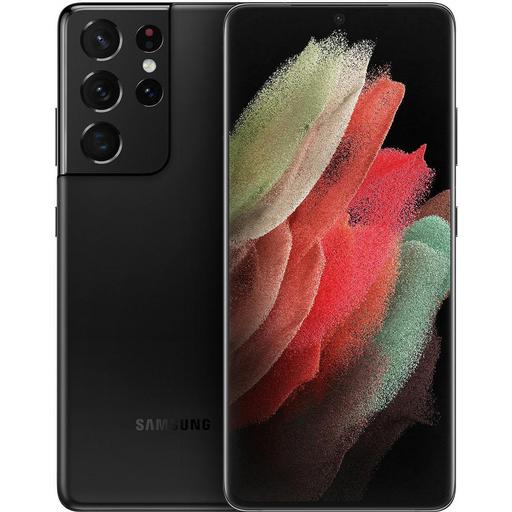
Samsung Galaxy S21 Ultra
Google Android
The Samsung Galaxy S21 Ultra is the most advanced and powerful device in the 2021 S-series lineup of Samsung smartphones. This flagship device features the latest processor, the Exynos 2100, and cutting-edge technology packed into a slim and lightweight package.The Samsung Galaxy S21 Ultra is available in three variants: 8GB RAM with 128GB storage, 12GB RAM with 256GB storage, and 16GB RAM with 512GB storage. All variants feature a 6.8-inch WQHD+ Dynamic AMOLED 2X Infinity-O display, with a 120Hz refresh rate, and a 120Hz adaptive refresh rate. It also features an advanced camera system with a 108MP wide-angle camera, a 10MP telephoto lens, and a 12MP ultra-wide sensor. Other features of the device include a 5,000mAh battery with 45W fast charging, an IP68 water and dust resistance rating, and 5G connectivity.
When comparing the Samsung Galaxy S21 Ultra to its competitors, there are several factors to consider. In terms of design, the S21 Ultra is the most aesthetically pleasing and ergonomic device, with its slim and lightweight design. When it comes to performance, the S21 Ultra is equipped with the latest Exynos 2100 processor which provides superior performance. In terms of camera, the S21 Ultra has one of the most advanced camera systems with its 108MP wide-angle lens, 10MP telephoto lens, and 12MP ultra-wide sensor.
In conclusion, the Samsung Galaxy S21 Ultra is the most advanced and powerful device in the 2021 S-series lineup. It has an aesthetically pleasing and ergonomic design, a powerful processor, and an advanced camera system. It is the ideal device for anyone looking for the latest flagship device.
SpySat Setup for Samsung Galaxy S21 Ultra device
Installation steps
1) Download "SpySat" from Google Play (Market) - all you need is to type "spysat" in search engine of Google Play Store or use this link
2) After installing the program will be available on the phone menu under the name Synteo SPYSAT.eu
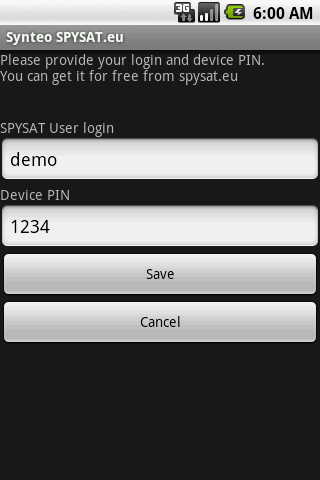
3) When you first start the program it will ask you for a login and PIN devices.
In the Login field you have to enter your login used to log on to the spysat.eu
PIN could be defined on this website during defining the device (Spysat/Configure - button under the map).
Remember that entered PIN on the website must be exactly the same as PIN entered in the setup program on your Samsung Galaxy S21 Ultra.
If you have problems, please refer to our FAQ
Here are some answers that you could be interested in:
To access the device management please click here
Here is the video tutorial about phone tracking setup in 2019
Screen-shots of mobile software

User expeirence and feedback about Samsung Galaxy S21 Ultra and SpySat
(c) Spysat 2026 - Free Real Time GPS Tracking Platform | Privacy Policy | AMLD6 | Shop | PEP Check